AutoWallX
Personal ProjectA mac app to switch wallpapers according to the appearance of the mac (dark mode and light mode)
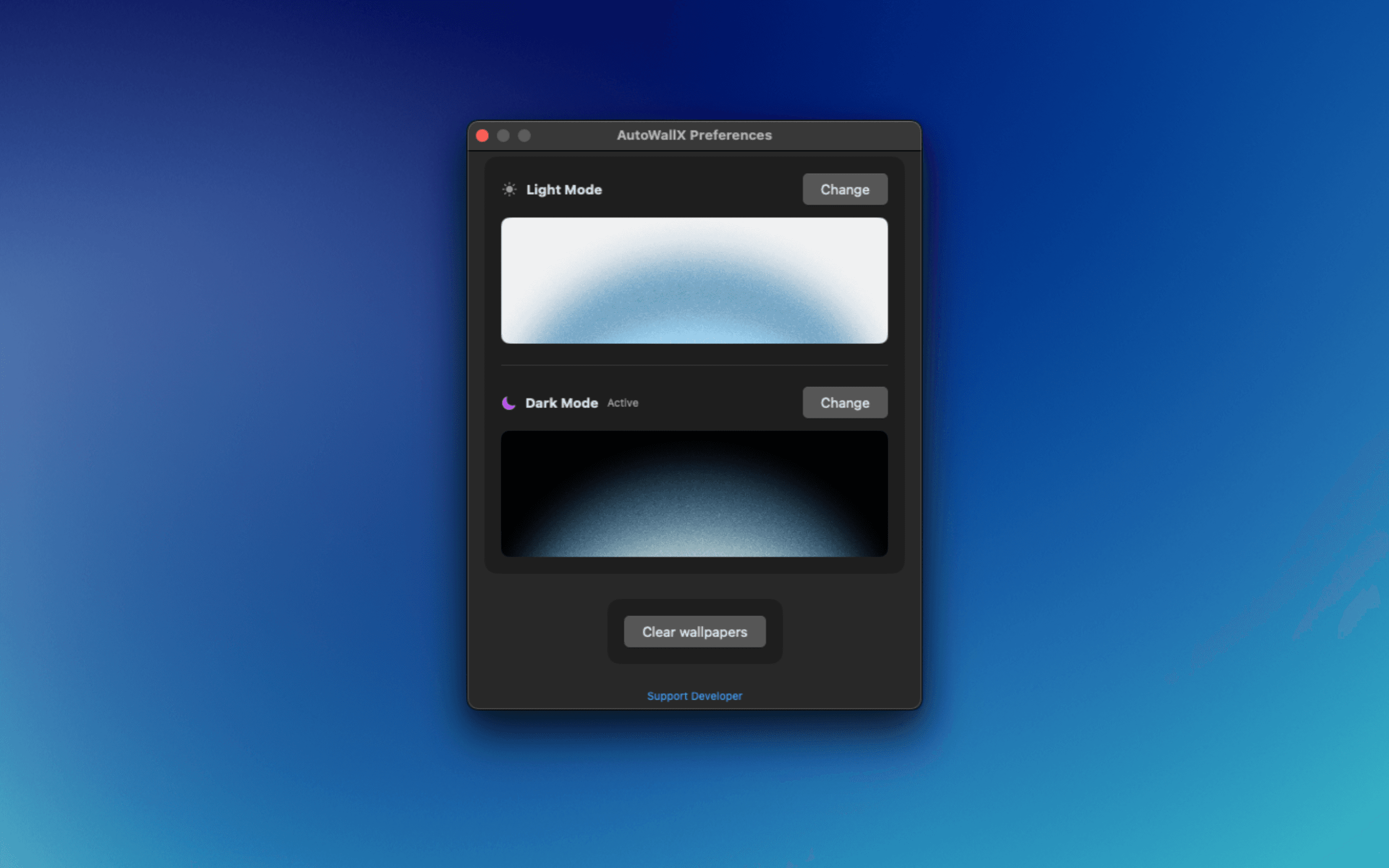
What is AutoWallX?
AutoWallX is a lightweight Mac app that automatically switches your wallpaper based on your system appearance — one wallpaper for light mode and another for dark mode. It runs quietly in the background as a menu bar app, so it's always ready without getting in your way.
How it works
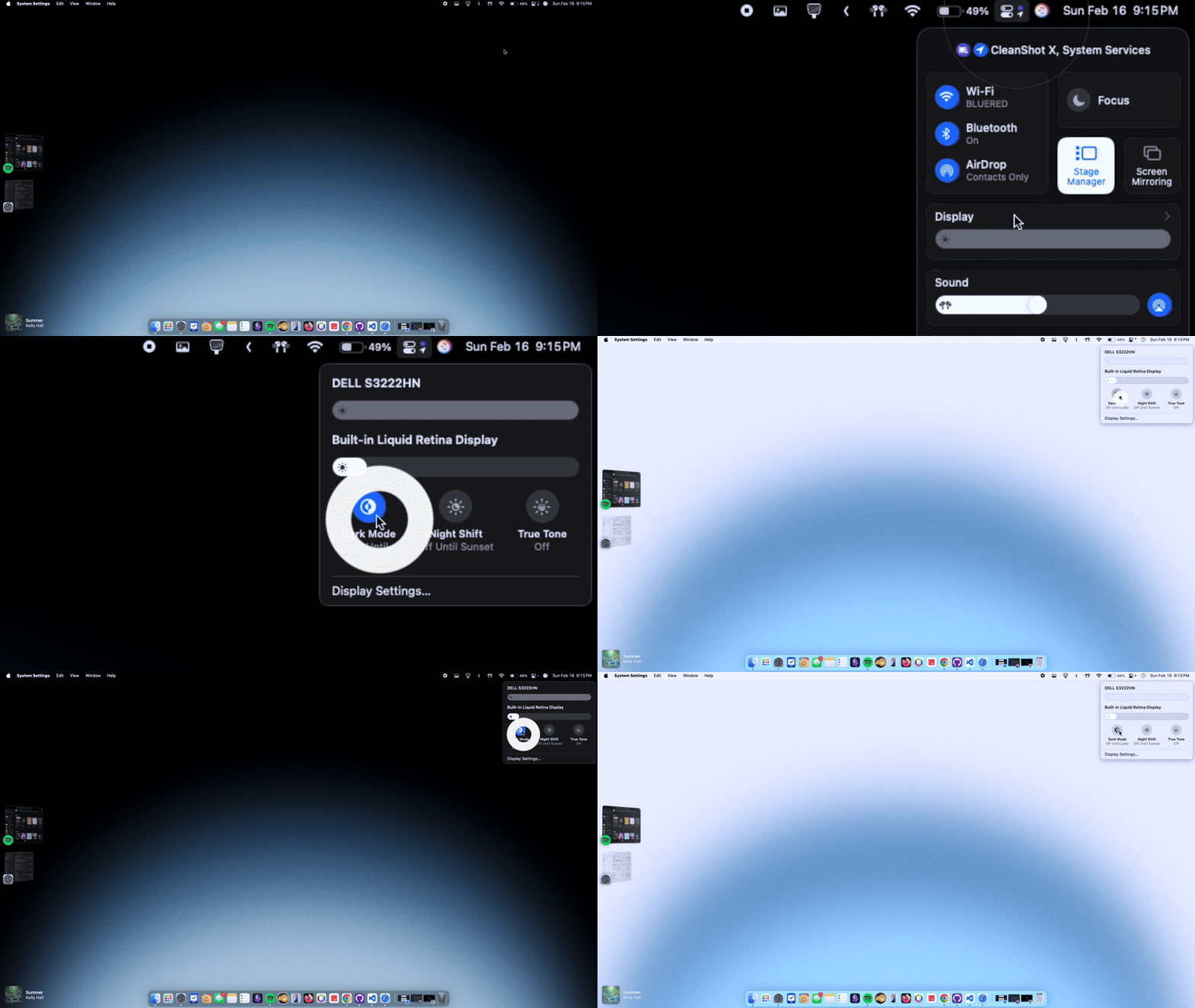
The app has a very simple functionality. It allows you to pick two separate wallpapers — one for light mode and one for dark mode. Then it runs in the background as a menu bar app, automatically switching wallpapers whenever your system appearance changes.
It also works with the scheduled light/dark mode of your system, so if you have automatic appearance switching set up, AutoWallX will follow along seamlessly.
You can enable “Open at login” to ensure the app is always running. If you want to change your chosen wallpapers, just click on “Reset All” at the bottom of the Preferences page, which you can access via the menu bar options.
Tech Stack
AutoWallX is built natively for macOS using Swift and the Cocoa framework. It uses system APIs to detect appearance changes and update the desktop wallpaper in real time. The app is lightweight and designed to have minimal impact on system resources.