Hello,
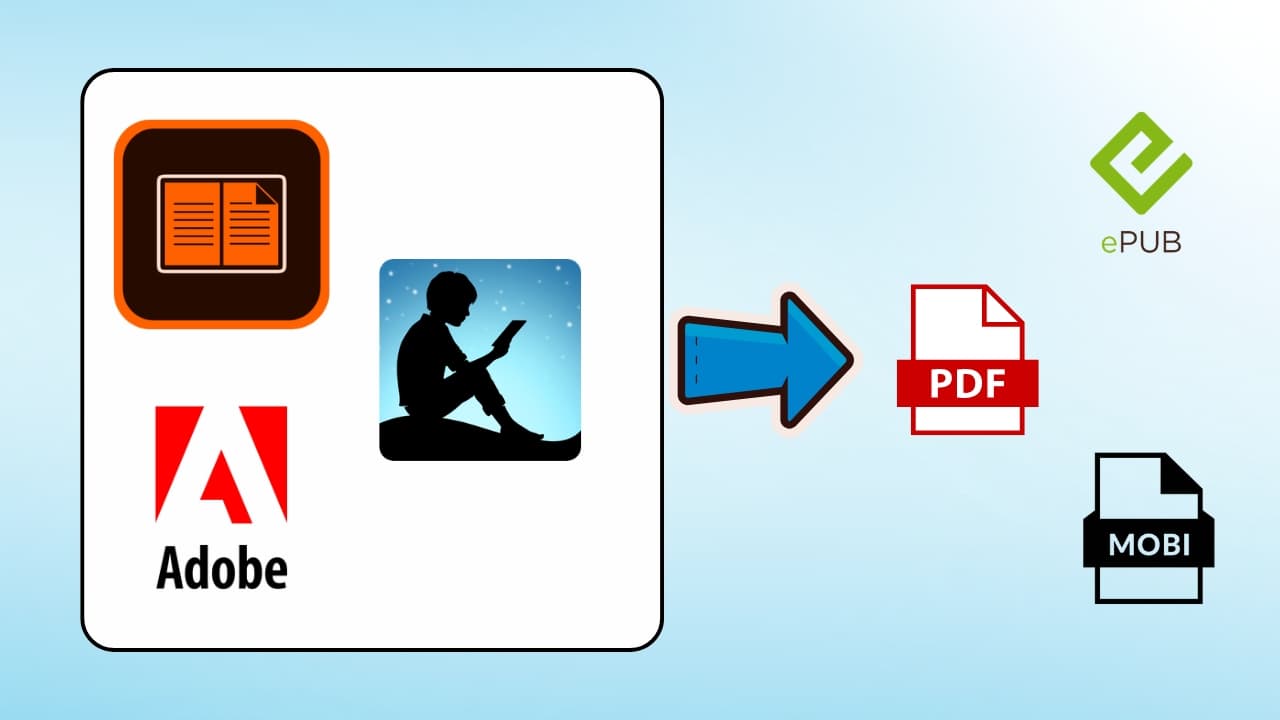
E-books from the library are difficult to make full use of. First, you cannot open it in any app you want, you can't send it to any other device, and you can't convert the format to EPUB or PDF.
And, by default, you cannot import it to any other notetaking app, such as Goodnotes, to annotate.
Very annoying, but there's a way to solve this.
How I stumbled upon this issue
My professor sent me a link to a library e-book, which I wanted to read in Goodnotes because that's where I do all my reading and annotating.
Turns out the only way to get the file on my computer is through Adobe Digital Editions (ADE). My library allowed me to download a .acsm file, which I could decrypt with the ADE app, but the app doesn't let me export it. This implies that I cannot send it to my Goodnotes app.
I found a solution to it.
Note: Please only use this for educational purposes.
How to convert Library Books to any format
Step 1: Double-click the .acsm file to open it in ADE. It will ask you to confirm some ID. You can click that you want to authorize without an ID. Doesn't matter as long as you are able to read the file in ADE.
Step 2: Download and install the Calibre app.
Step 3: Download DeDRM plugin.
Step 4: Install the plugin by doing the following:
Open Calibre, and go to preferences
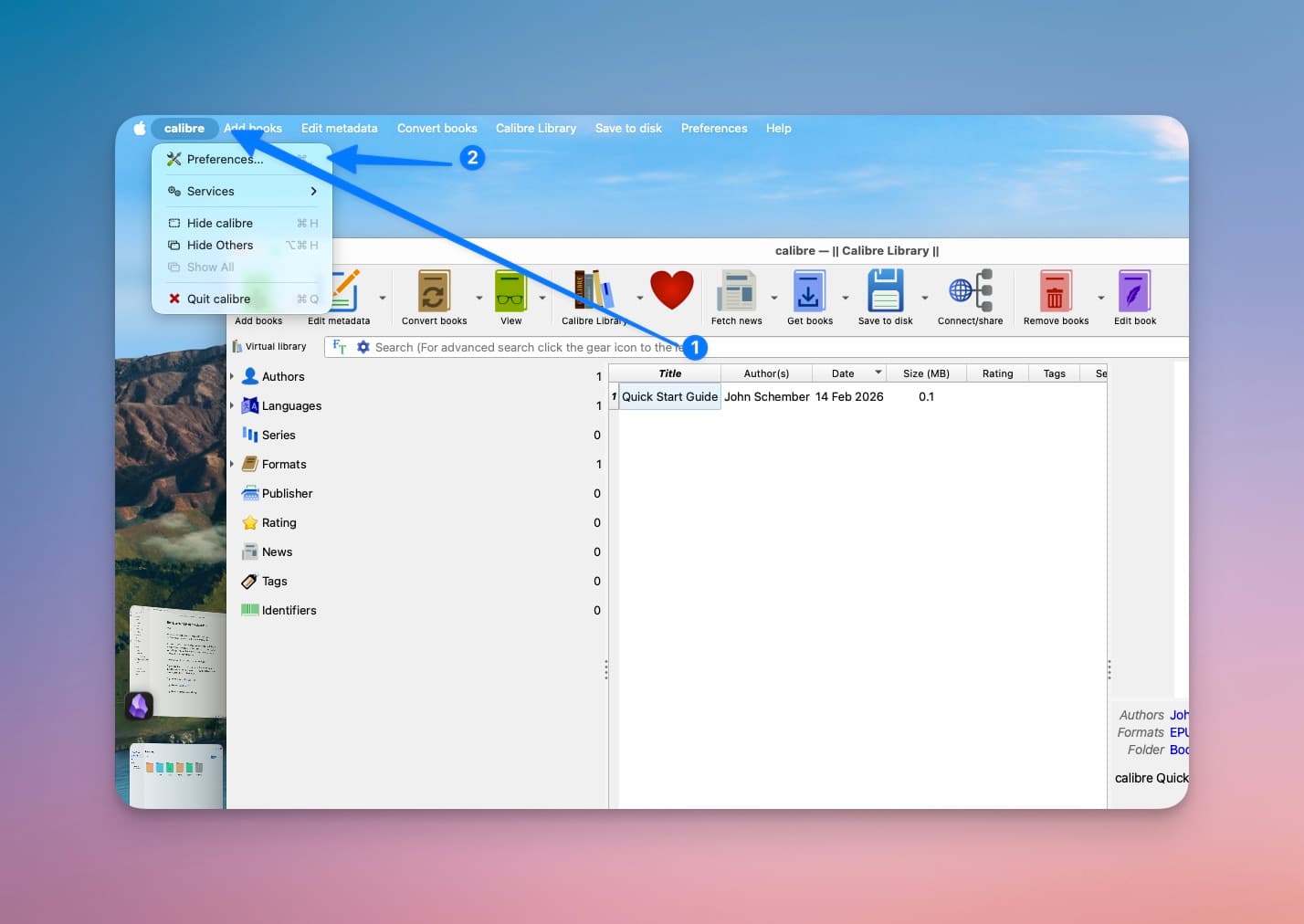
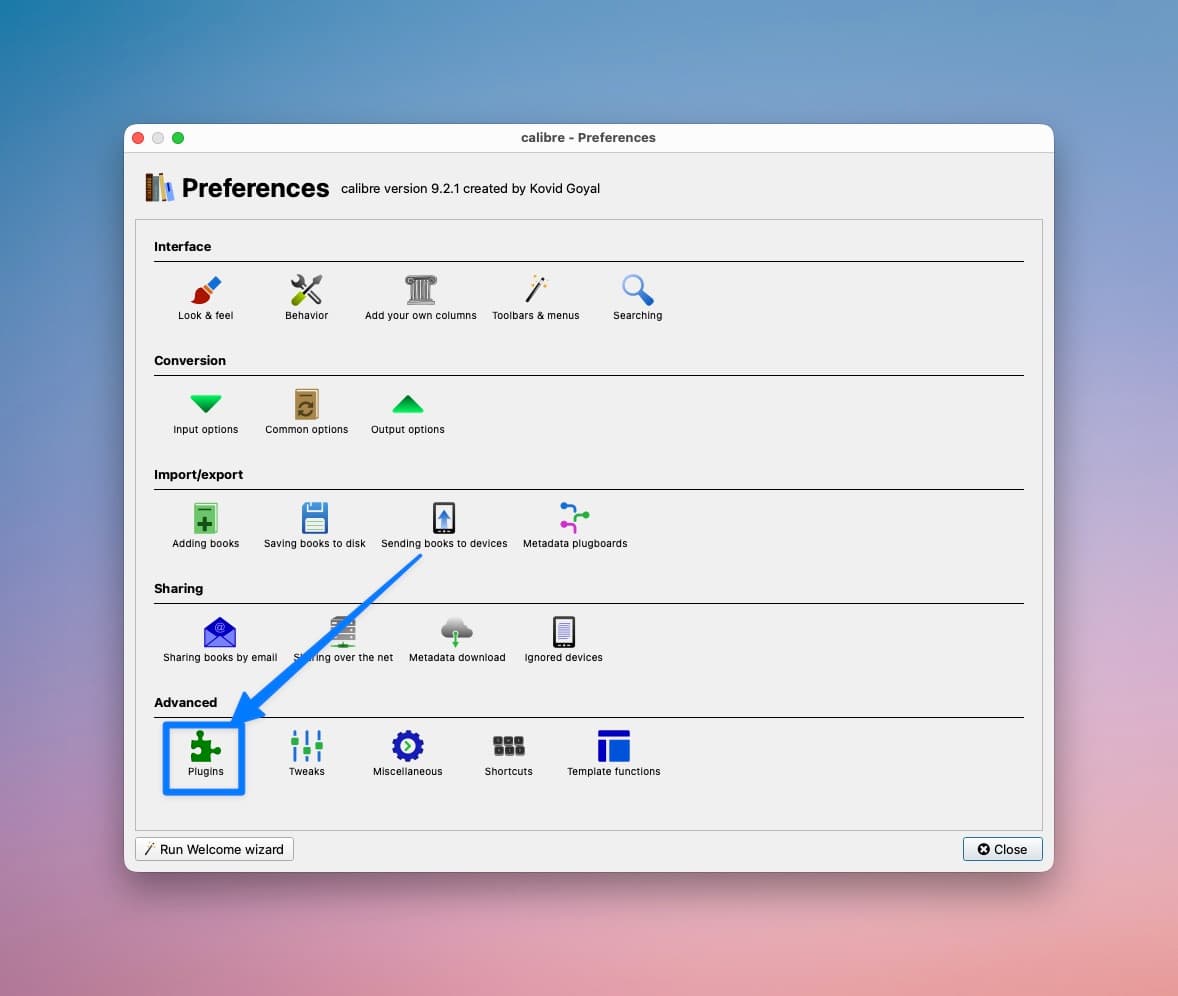
Click on plugins
Click on "Load plugin from file"
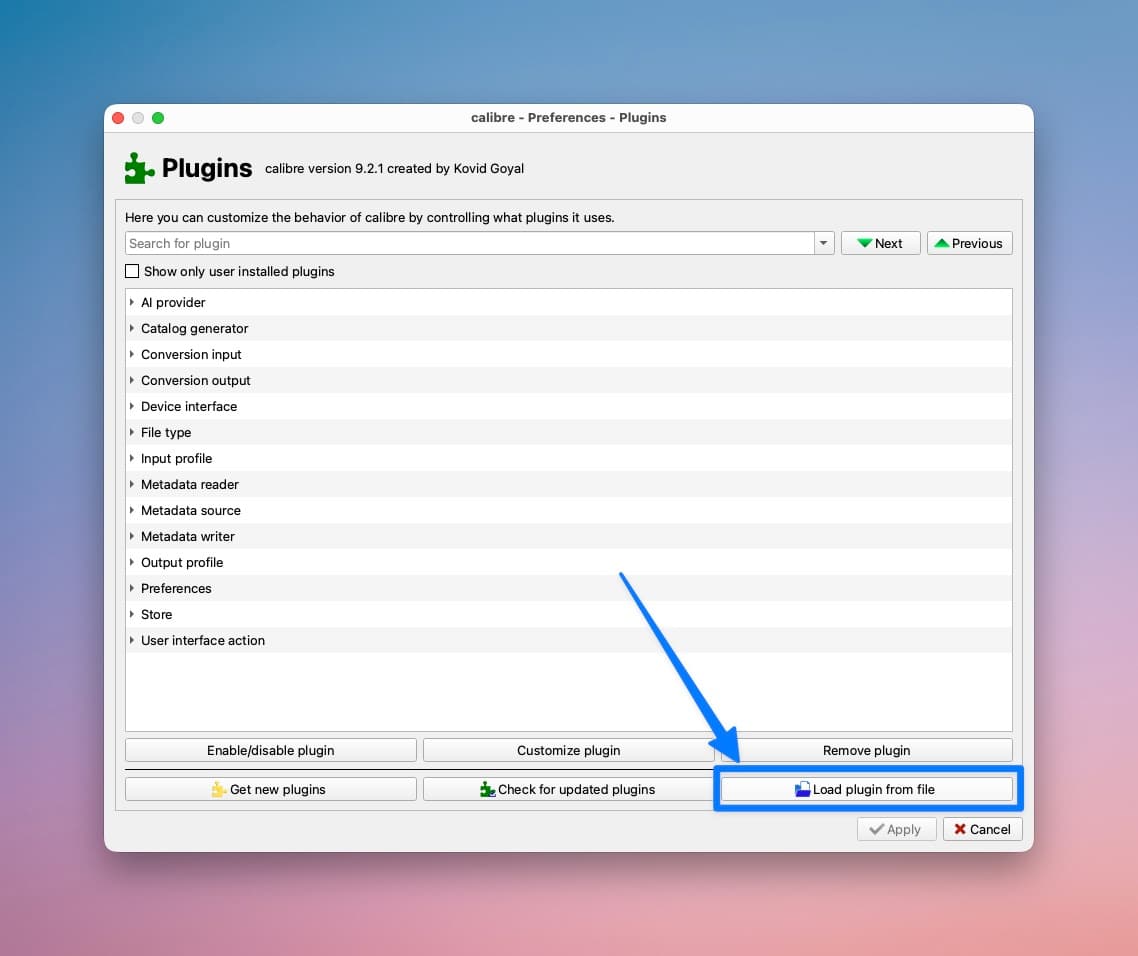
Unzip the DeDRM plugin file, and import the DeDRM_plugin.zip file.
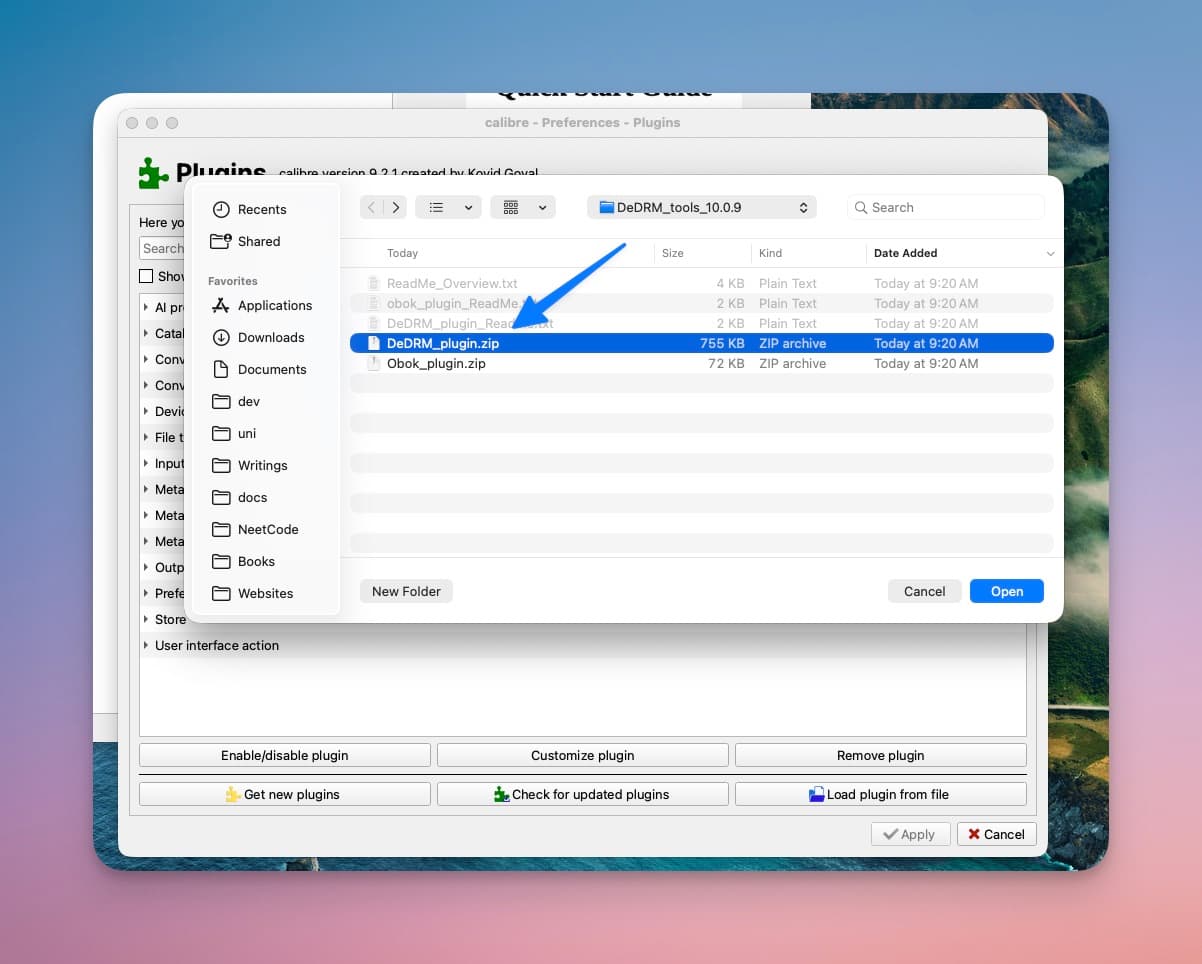
Click Yes, and restart Calibre.
Step 5: Find the related ADE epub or pdf file. By default, it is in the Documents > Digital Editions folder. If you try opening that file by double-clicking, it will appear blank. Remember that you will only be able to find this file if you have opened it in ADE first.
Step 6: Drag and drop the related file into Calibre.
Step 7: Right-click the imported file > Convert books > Convert individually.
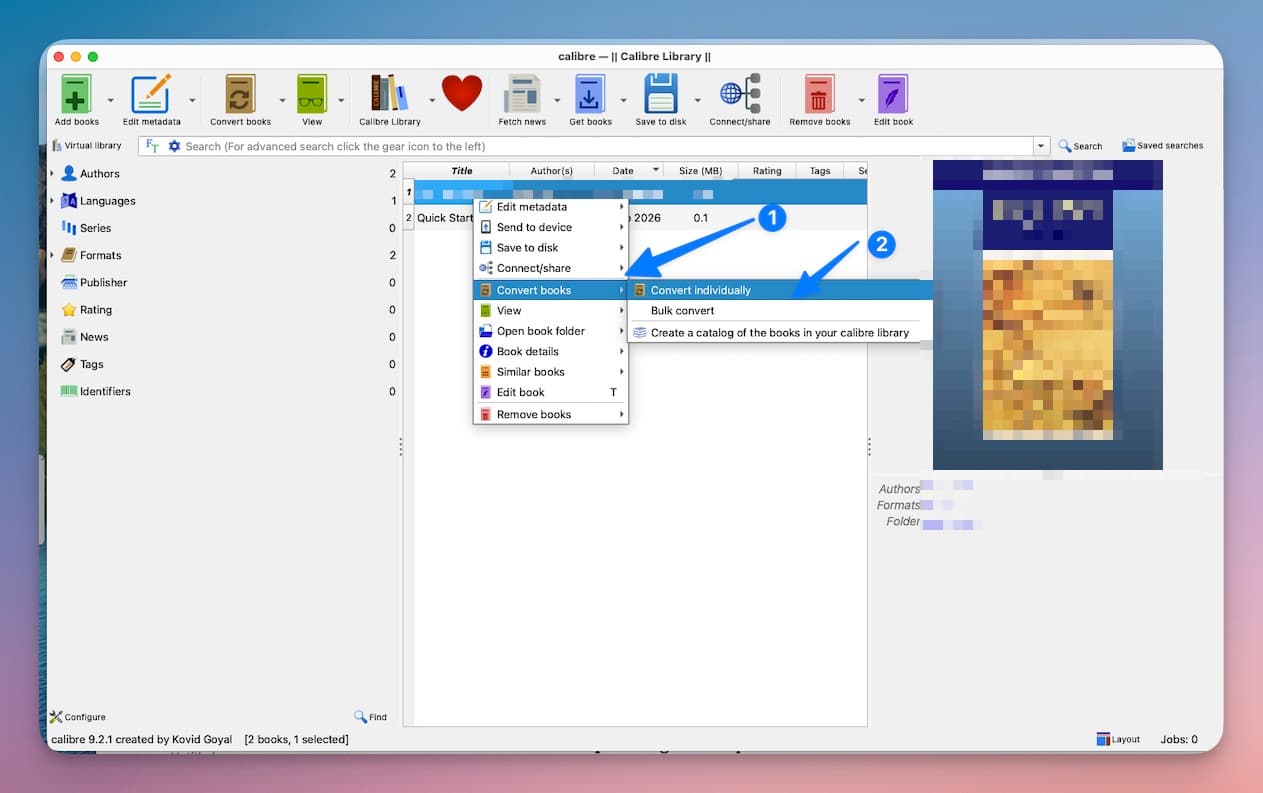
Step 8: From the right-top corner, select the file format you want. Then click on OK in the bottom-right corner.
Step 9: Find the exported file in your /Users/username/Calibre Library folder.
There you go. You have it. Read and learn. Cover the book margins with notes in Goodnotes.
Happy studying.
Warmly,
Suraj